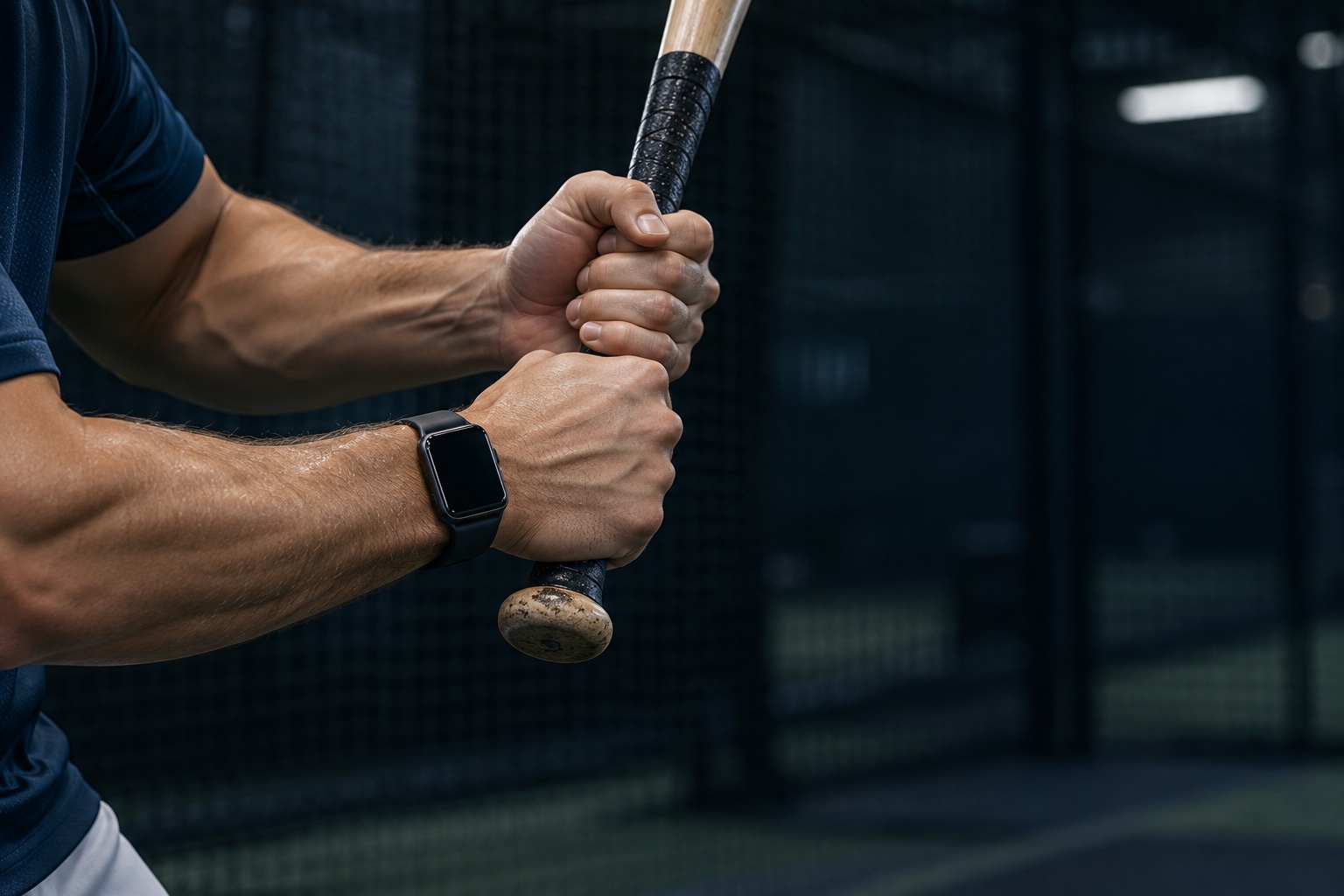
Apple Watch has an accelerometer and gyroscope. Apple’s Core Motion framework can report acceleration, rotation rate and the Watch’s orientation, including data processed to separate the motion you create from gravity.1 Apple even calls out a baseball bat swing as a use case for its high-frequency batched motion data.2
An app can combine those signals with the bat’s length to estimate how fast the sweet spot is moving. Wear the Watch on the lead wrist—the lower hand on the bat—and grip the bat normally at the bottom of the grip without choking up. Keep that setup consistent, and the result becomes a powerful training number you can collect on every swing.
It removes the friction from measuring speed. The best training metric is the one you collect often. Wear the Watch you already own, take your normal swings and build a speed history without adding hardware to the bat.
One training system. Three useful views.
Start with the Watch for speed on every swing. Add a dedicated sensor when you need a controlled benchmark, and use video to see the mechanics that moved the number.
Apple Watch
Bat-speed tracking with no extra hardware.
- Best for
- Everyday cage work and a season-long speed history
- Measures
- High-frequency wrist acceleration and rotation, translated into sweet-spot speed
- Big advantage
- Already on your wrist and ready with every bat
Bat-knob sensor
A dedicated reference attached directly to the bat.
- Best for
- Barrel-centered metrics and dedicated speed testing
- Measures
- Bat movement at the knob, then calculates sweet-spot speed and other bat metrics
- Tradeoff
- A separate device to buy, charge, attach and move between bats
Phone video
A view of the hitter’s body and the sequence behind the result.
- Best for
- Finding the mechanical reason a number changed
- Measures
- Body positions, joint angles, timing and hand speed from video
- Big advantage
- Shows the hips, shoulders, posture and sequence behind the speed
An Apple Watch and dedicated bat hardware start with the same basic ingredients: motion sensors and software that turns their readings into a bat-speed number. MLB’s optical bat tracking defines swing speed at the bat’s sweet spot.3 The Watch models that sweet-spot speed from the motion at the lead wrist. You get a useful training number without buying and managing another device.
That convenience changes how often a player can train with feedback. The Watch can capture each swing automatically and build a speed history across a session and a season. No trip back to the phone. No sensor to move when the hitter changes bats. Just swing, read the number and take the next rep.
How to make Watch readings more consistent
Six simple habits turn the Watch into a stronger training tool and make one session easier to compare with the next.
- Use the lead wrist.Wear the Watch on the lower hand—the hand closest to the knob when you grip the bat.
- Keep the Watch snug.A loose band lets the case move separately from the wrist. Wear it above the wrist bone, in the same notch each time.
- Use your normal grip.Grip the bat at the bottom of the grip. Don’t choke up, because that changes the relationship between wrist motion and barrel speed.
- Keep the bat constant.Bat length and weight change how wrist motion translates into speed at the barrel.
- Compare like swings.Tee swings, front toss and live pitching are different tasks. Track each one as its own session.
- Look at a set, not one cut.A single max can be noise. Compare the middle of a group of good swings and note whether the whole group moves.
Speed gives you the result
Video shows where it came from.
A rising speed trend makes progress visible. A side-on video shows whether it came from better hip sequencing, stronger posture through contact or a cleaner path to the ball.
Bat speed is not exit velocity
Bat speed is the speed of the bat. Exit velocity is the speed of the baseball immediately after it comes off the bat.4 A hitter can swing faster and still hit a ball poorly. Contact location, bat path, pitch speed and how squarely the ball meets the barrel all matter.
That distinction keeps the training question clear. If you want to know whether the bat is moving faster, track bat speed. If you want to know how hard the ball left the bat, measure exit velocity. If you want to know what the hitter’s body did, use video.
Bat speed says what changed. See why it changed.
Angular Baseball watches the swing from your iPhone, scores the mechanics, puts the biggest fix first and gives you a drill for it. No sensor or tripod.
Grade the mechanics behind it freeApple Watch bat speed: quick answers
Can an Apple Watch measure baseball bat speed?
Yes. An Apple Watch uses wrist acceleration and rotation to estimate sweet-spot speed. With the same hitter, bat, Watch placement and setup, it is a useful way to guide day-to-day speed training without buying a separate bat sensor.
Is Apple Watch bat speed the same as exit velocity?
They are different measurements. Bat speed describes how fast the bat is moving. Exit velocity describes how fast the baseball leaves the bat after contact.
Where should I wear an Apple Watch for baseball swing tracking?
Wear the Watch snugly above the wrist bone on the lead wrist—the lower hand on the bat. Keep the band position the same every session.
Should I use an Apple Watch, a bat sensor or swing video?
Start with an Apple Watch if you already own one: it makes bat-speed tracking part of every cage session with no extra hardware. Add a dedicated bat sensor for controlled benchmark testing, and use phone video to see the mechanics behind a change.
Sources
- Apple Developer: Core Motion and processed device-motion data.
- Apple Developer: Core Motion updates—Apple names golf swings and baseball bat swings as high-frequency batched-sensor use cases.
- MLB: What to know about Statcast bat tracking.
- MLB glossary: Exit velocity.