Angular for coaches
Give every hitter on your roster feedback between lessons.
Record from one phone. Angular scores the swing, you add your note, and the family gets all of it — video, report and homework — in one tap.
What it does for a coach
Less admin. More coaching.
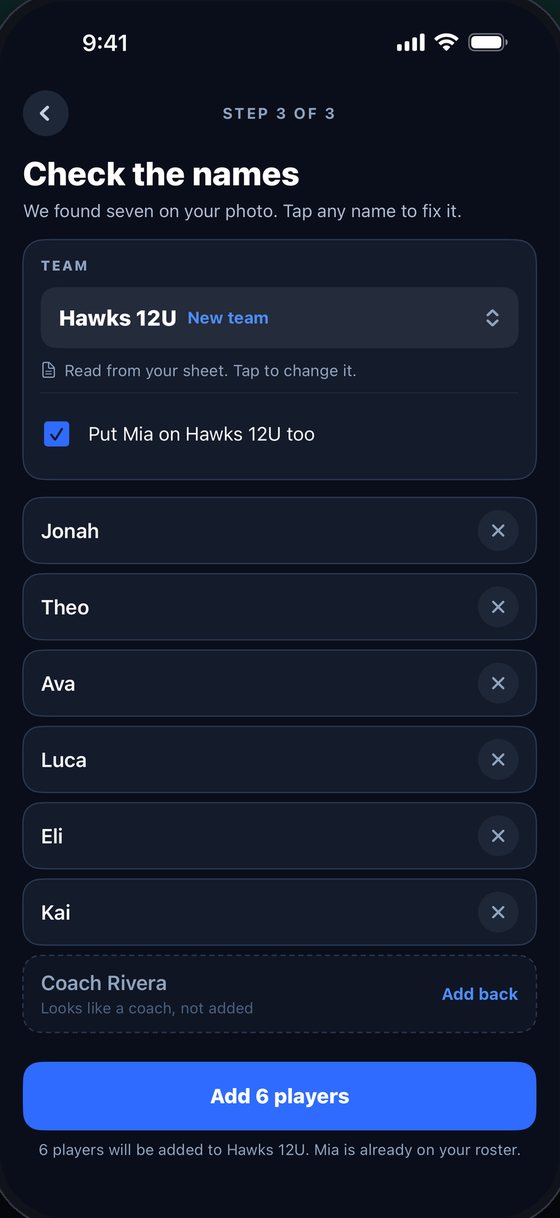
Snap the roster. Done.
Take a photo of a roster sheet or screenshot your team app. Angular reads the names, lets you fix any it misread, and adds every player to the right team. Your roster stays grouped by team.
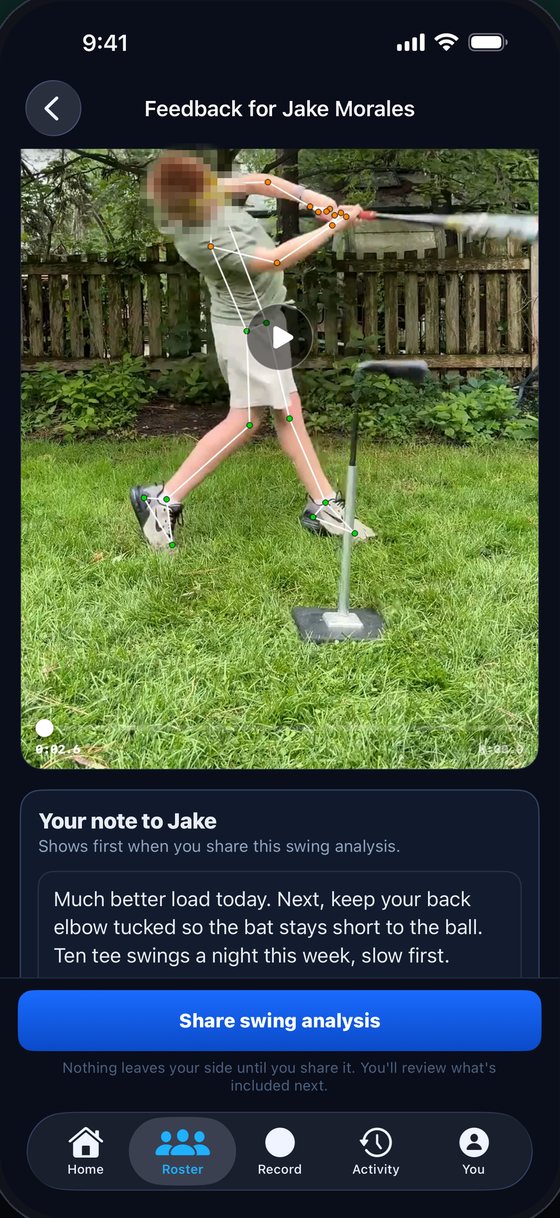
Your notes, right on the swing.
Type under the video and it saves as you go. The analysis does the measuring; your note says what to do this week. The family reads your words first.
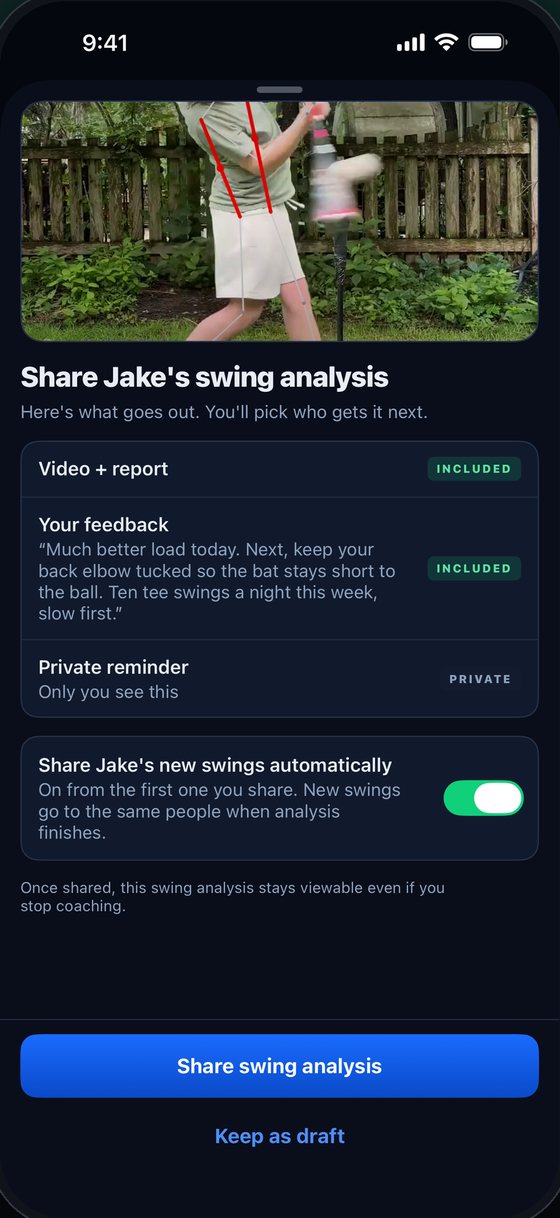
Send every swing to the family.
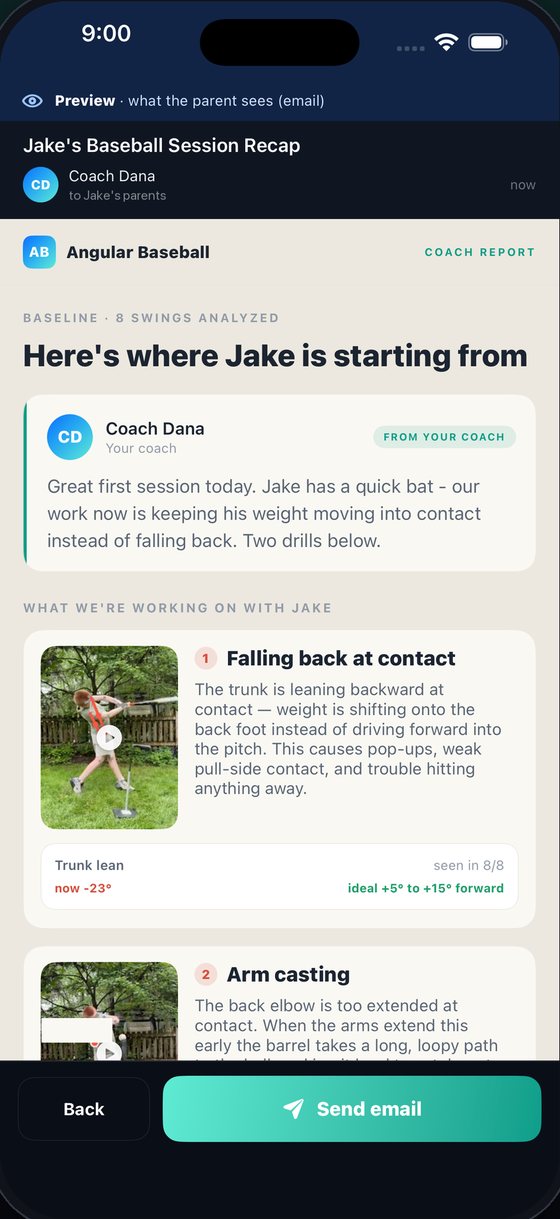
Video, report and your note go out together, and you see exactly what they'll get before you send. Switch on auto-share and the player's new swings follow on their own. Keep a private reminder for yourself on the same screen.
A baseline in one take, a report parents can read.
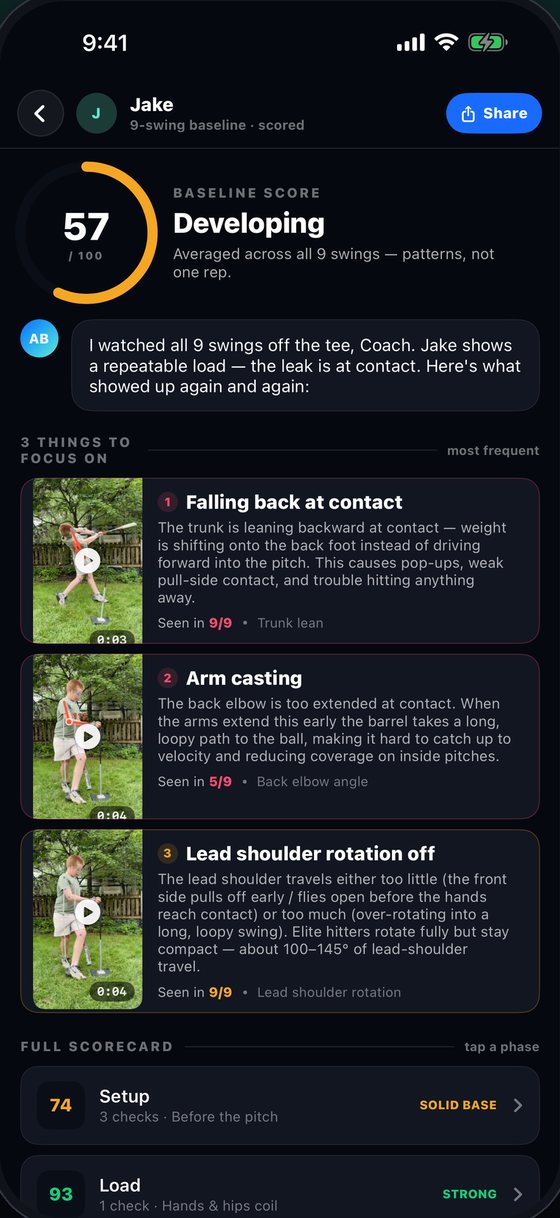
Film 5–15 swings off the tee in one video. Angular scores each one and builds a five-phase scorecard. Pick up to two things to focus on, add a line, and send the parent a link or email — no app needed on their end.
Every player. Every swing.
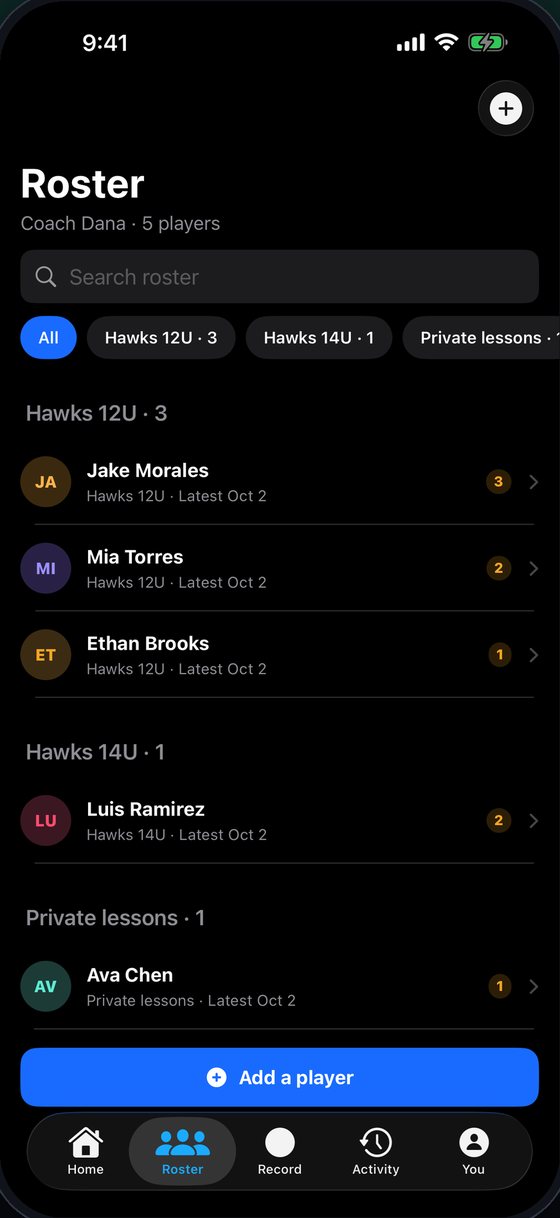
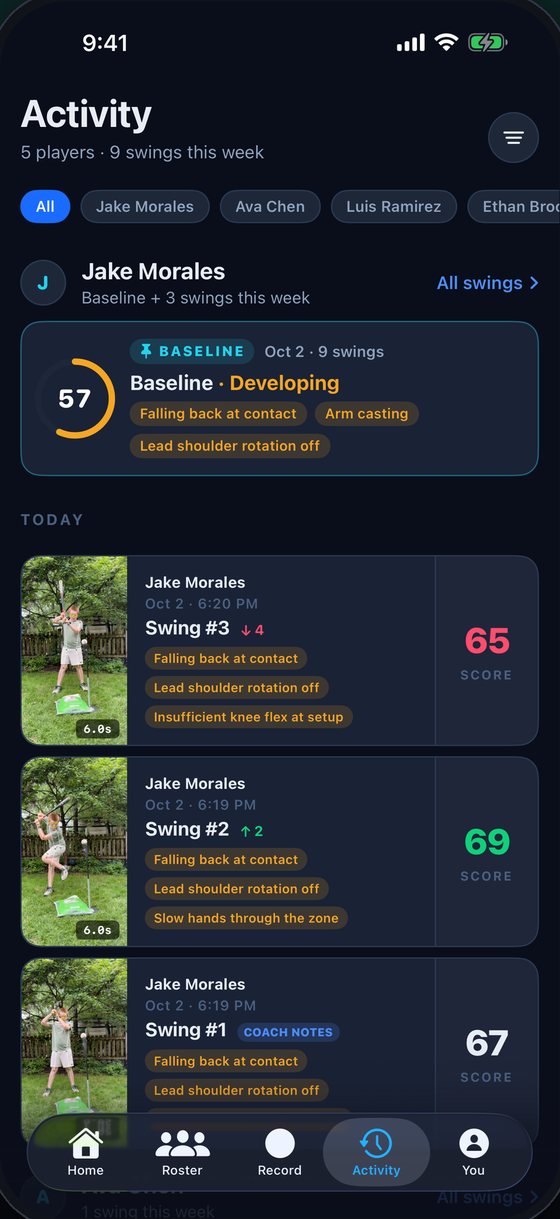
Activity sorts each hitter's swings by day, with their baseline pinned on top — so before a lesson you can see what moved and what didn't.
Facilities & clubs on Angular
Coaches at these programs use Angular.
From indoor cages to travel rosters, they use it to score swings, add their own notes, and keep families in the loop.


Run a facility or a travel program?
Talk to us about your coachesWhat you need
An iPhone on iOS 17+, a spot to film from the side, and your players' first names. Baseball or softball.
What it costs
Free: 1 swing per player a day, 20 a week. Pro: no cap, baselines and parent reports — $9.99 a month or $49.99 a year.
Questions coaches ask
How does it fit with my coaching?
It scores every swing's mechanics against 13 checkpoints and ranks what it finds, so each review starts from a measured read of the swing. You write your note under the video, and the family reads your words first.
Can parents read a report without the app?
Yes. A shared swing, an emailed baseline report and a report link all open in a web browser, with no app and no account. Baselines and baseline reports are Pro features for the coach.
How much does it cost for a coach?
A free coach account keeps a roster, gets 1 analysis per player per day up to 20 a week, and can add notes to every swing and send it to the family, with no card. Pro has no cap, adds baselines and parent reports, and costs $9.99 a month or $49.99 a year, the same price players and parents pay.
Does it work for softball?
Yes. Softball swings are scored on the same 13 checkpoints as baseball swings.