How to Make a Hitting Recruiting Video College Coaches Will Actually Watch
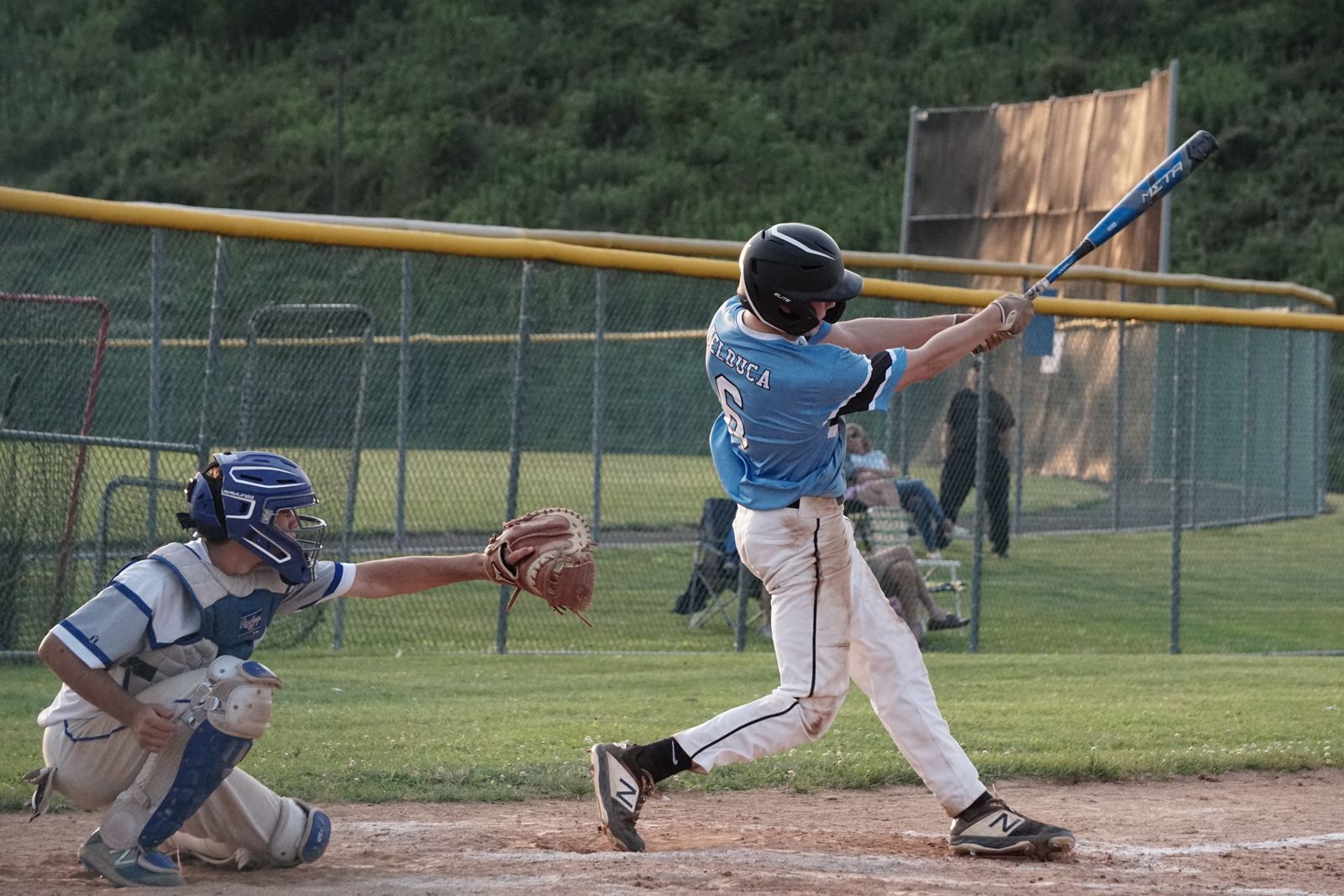
Signing week is here for this year's seniors. If your hitter is a year or two behind them, this is a good week to think about the video that starts the conversation with a college coach. Most of what makes one work is simple, and most of what makes one fail is easy to avoid.
The early signing period for most Division I and II sports, baseball included, opens in mid-November, and many high school athletic offices have it on the calendar for Wednesday, November 11 this year. (Check with your school; the exact dates and rules change, and I'm not the NCAA.) For families with a sophomore or junior, it's a useful reminder that coaches are already building lists for the next classes, and a recruiting video is often the first thing they see.
What a coach actually uses the video for
A recruiting video doesn't earn an offer on its own. It answers a smaller question: is this hitter worth going to see in person? A coach with a stack of emails is sorting, not deciding. The video's job is to make sorting you into the "go watch" pile easy.
That changes what belongs in it. Coaches want to see a repeatable swing, how the body moves, and whether the ball comes off the bat with authority. NCSA's survey of college coaches lists mechanics, speed, athleticism, power and body language as the things they look for. Slick editing isn't on that list.
The shot list
Here's a plan you can film in one batting practice session with a tripod and a willing adult throwing.
1. An intro card (5–10 seconds)
Name, grad year, position, bats/throws, high school and club team, GPA, and contact info for the player and the coach. If you have verified measurables, such as exit velocity from a showcase, put them here. FieldLevel's guidance is blunt about not inflating numbers: coaches will see the truth on film.
2. Swings from the side
Set the camera at the hitter's open side, square to the plate, so the whole body and bat stay in frame. For a right-handed hitter that's the first-base side. NCSA suggests the tripod about five feet off the ground. Our guide to filming a swing covers distance and framing in more detail.
3. Swings from behind
Move the camera behind the hitter, in the catcher's area if you have a protective screen or the cage allows it. This angle shows the bat path through the zone and where the ball goes. Avoid shooting through a chain-link backstop if you can, because the fence pulls the camera's focus.
4. Real pitching, consecutive and unedited
Both FieldLevel and NCSA want batting-practice fastballs or live arms, not soft toss. More important, they want consecutive swings, unedited. A coach is checking whether the swing repeats. Five great swings cut from fifty tell them nothing about the other forty-five, and they know it.
A former college coach quoted by NCSA suggests 8–10 reps per angle; NCSA's hitting checklist goes as high as fifteen from each side. Take swings in short rounds (NCSA says seven at most) with rest in between so the last rep looks like the first. Use the bat your hitter actually uses in games.
5. Game at-bats, if you have them
Live at-bats against real pitching help, and FieldLevel says to always show where the ball went. Include the result even when it's a hard-hit out. A full at-bat shows plate discipline that a BP round can't.
Length and order
FieldLevel suggests two to five minutes; NCSA says five minutes or less. Put the best material first, because many coaches won't watch to the end. A good order is:
| Section | Length | Why |
|---|---|---|
| Intro card | 5–10 sec | Who you are and how to reach you |
| Side-angle BP, consecutive | About 1 min | Mechanics and repeatability |
| Behind-angle BP, consecutive | About 1 min | Bat path and ball flight |
| Game at-bats with results | 1–2 min | The swing against live pitching |
| Defense or running (optional) | Under 1 min | Position skills, if they help |
The mistakes that get a video closed
- Highlight-only edits. Only home runs and doubles look like you're hiding something.
- Slow motion, replays and effects. FieldLevel says skip them. Real speed shows bat speed.
- Music. It adds nothing, and some coaches watch with the sound on to hear contact.
- Shaky, far-away phone footage. Use a tripod. A swing that fills a fifth of the frame is hard to judge.
- No contact info, or a link that has expired. Make the video easy to open on a phone, and keep the link working for months.
- Jogging on and off the field. Every second that isn't a skill is a second the coach might stop watching.
Before you send it: watch it like a coach would
Here's the step most families skip. Before the video goes out, sit down and watch the swings yourself, slowly, from both angles. Is the back shoulder dropping? Does the front side fly open early? Is the hitter lunging at the ball? If something obvious shows up in most reps, a coach will see it too.
That doesn't mean waiting until the swing is perfect. Nobody's is. But if there's a clear, fixable flaw, it can be worth a few weeks with your hitting coach, then filming again. A video that's a month later and noticeably cleaner beats one sent this week. Our hitting evaluation checklist is a decent place to start if you're not sure what you're looking at, and the timing-versus-mechanics guide helps you tell a timing miss from a swing problem.
Where to send it
Upload it somewhere that plays on a phone without a login: YouTube (unlisted is fine), Hudl or your recruiting profile. Put the link in a short, personal email to coaches at schools that are a realistic fit, with the player's schedule for upcoming showcases or games. Then follow up. The video opens the door; the in-person look is what matters.
Sources
- FieldLevel: Baseball video guidance (length, consecutive unedited reps, no slow motion or music, show outcomes, intro details)
- NCSA: Baseball recruiting video (five minutes or less, best first, tripod height, hitting angles and rep counts, coach survey)