How to Film Your Kid's Swing So You Can Actually Coach From It
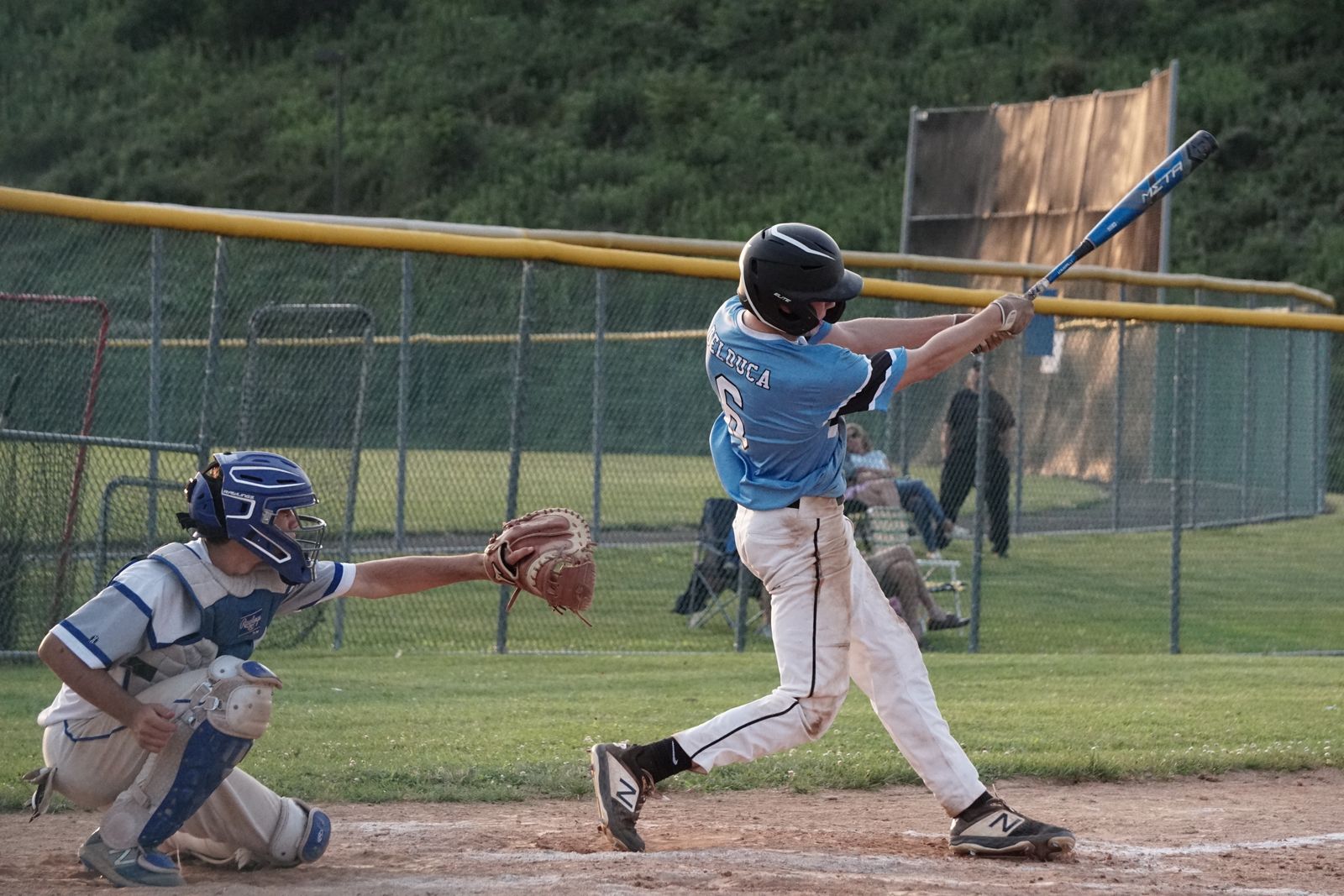
By the end of a season, most baseball parents have a camera roll full of swing video that can't answer a single useful question. Filmed from the bleachers, through a fence, at normal speed, with half the body out of frame — you can tell whether it was a hit, and that's about it. The frustrating part is that a phone is genuinely all you need. You just have to stand in the right place and change one setting.
Why most swing video is unusable
The typical swing clip is taken from behind the backstop (because that's where the seats are), through chain link (because that's what's between you and your kid), at your phone's default 30 frames per second (because nobody changes it). Each of those quietly destroys the information you were trying to capture: the backstop angle hides hip rotation and hand path, the fence steals the camera's focus, and 30fps means the swing itself — which takes well under a quarter of a second — lands on a handful of blurry frames. The moment you actually care about, contact, usually isn't one of them.
And you can't coach from feel alone, either — hitters are famously bad at knowing what their own swing did. A kid can square one up with mechanics that will fail against better pitching, or take a genuinely good swing and get nothing to show for it. Video-analysis coaches make this point constantly: feel lies in both directions, and the tape is the tiebreaker.
The angle that does the most work: the open side
If you only film one angle, make it this one: stand on the open side of the hitter — the side their chest faces. For a right-handed hitter that's the first-base side; for a lefty, the third-base side. Phone at chest height, square to the hitter, whole body and bat in frame from stance to finish.
From the open side you can see almost everything that matters in a swing:
- The stride — length, direction, and whether the front foot lands closed or flies open.
- Weight transfer — does the hitter get off the back side, or hang on it?
- Hip rotation and sequencing — whether the lower half leads or the arms take over.
- Hand path and contact — casting, bat drag, and where the barrel actually meets the ball.
This isn't just my preference — it's the standard. When college recruiters ask families for hitting video, NCSA's guidelines specify the open side, on a tripod, with clean unobstructed footage, precisely because that's the view that shows a hitter's mechanics.
The second angle worth having: face-on
Once the open side is covered, a face-on view — filmed from out toward where the pitcher would be — adds the things the side view can't show: stepping in the bucket, head movement, and how level the hips and shoulders stay through the turn.
One obvious but important note: never stand in front of a hitter taking live swings. Face-on video is for tee work and soft toss, or from safely behind an L-screen or fence. Off a tee it's completely safe and takes thirty seconds to set up.
There's a third angle serious programs use — directly behind the hitter, down the line — which is great for judging barrel path and pitch location. It's a nice-to-have, but it usually needs a cage or a protected spot behind the catcher, so I'd treat it as a bonus, not a requirement.
Frame rate: the one setting to change today
A swing lasts well under a quarter of a second from launch to contact. At 30fps, your phone captures a frame every 33 milliseconds — so the entire swing lands on maybe five to seven frames, and the odds that one of them is the contact frame are poor. This is why so much swing video turns into "well, it looks fast."
60fps is the practical minimum for swing analysis. 120 or 240fps is where it gets good. Every recent iPhone shoots 1080p slow motion at 120 or 240fps natively — open Settings → Camera → Record Slo-mo and pick the highest option, then use the Slo-Mo mode in the Camera app (Apple's guide to video settings). At 240fps you can scrub to the exact frame the barrel meets the ball, which is where most real swing questions get answered.
Resolution, for what it's worth, matters much less than frame rate. A sharp 1080p slow-motion clip beats a 4K clip at 30fps every single time.
Distance, stability, and light
Three more habits that separate usable footage from junk:
- Full body, full swing. Head to feet, bat included, in frame from stance through finish. If the barrel leaves the frame mid-swing, you've lost the exact thing you're trying to look at.
- Brace the phone. A $15 tripod is ideal (recruiting services suggest setting it around chest height), but a fence post, a bucket, or a bag works. Handheld pans and "following" the swing make frame-by-frame comparison nearly impossible.
- Light from behind the camera. Film with the sun at your back, not behind the hitter, and avoid shooting through shade-and-glare patches. Dusk games are hard; practice in daylight is where clean video comes from. And never film through a fence or net if you can help it — autofocus loves chain link more than it loves your kid.
What to actually capture
One perfect swing tells you less than you'd think — you can't tell a pattern from a one-off. Variety beats perfection:
- 3–4 swings off a tee — controlled, repeatable, easiest to compare week over week.
- 3–4 swings against front toss or live pitching — where timing habits actually show up.
- Game at-bats when you can get them — worse angles, but real. Treat these as a bonus.
That's in line with what recruiting evaluators ask for, too — NCSA wants six to ten hits from the open side, not one highlight. And keep the clips: the swing you film in September is the "before" photo for everything your hitter works on this offseason.
The before-you-film checklist
Screenshot this. It covers ninety percent of what goes wrong:
| Check | What you want |
|---|---|
| Angle | Open side (first-base side for a righty), phone at chest height |
| Framing | Whole body and bat visible from stance through finish |
| Distance | 6–12 feet back — move, don't zoom |
| Frame rate | 60fps minimum; 120–240fps slo-mo if your phone has it |
| Stability | Tripod or propped phone — no handheld panning |
| Light | Sun behind the camera, nothing between phone and hitter |
| Quantity | 6–10 swings: tee plus front toss or live |
What good footage unlocks
Once you have a clean, slowed-down, open-side swing, a whole set of questions become answerable that simply weren't before. You can run the three-frame casting check. You can see whether the hands are still drifting when the front foot lands. You can tell whether a pop-up problem is a bat-path problem or a timing one. Every drill you'll ever do with your hitter gets more useful when you can see whether it's working — and that's true whether the person reading the video is you, a coach, or software that measures the joint angles frame by frame.
Sources
- NCSA: How to Make a Baseball Recruiting Video — open-side angle, tripod, 6–10 hits
- OnForm: Why Video Analysis Trumps Feel in Modern Hitting
- Apple Support: Change video recording settings on iPhone — slo-mo frame rates