Baseball swing analysis for your whole roster
Choose Angular Baseball if you want to coach a whole roster from one iPhone. Film a hitter, get a swing score and a breakdown of what moved, then add the cue you want them to practice. Send the video, analysis and your note in one link a parent can open in their browser.
Get Angular Baseball on the App Store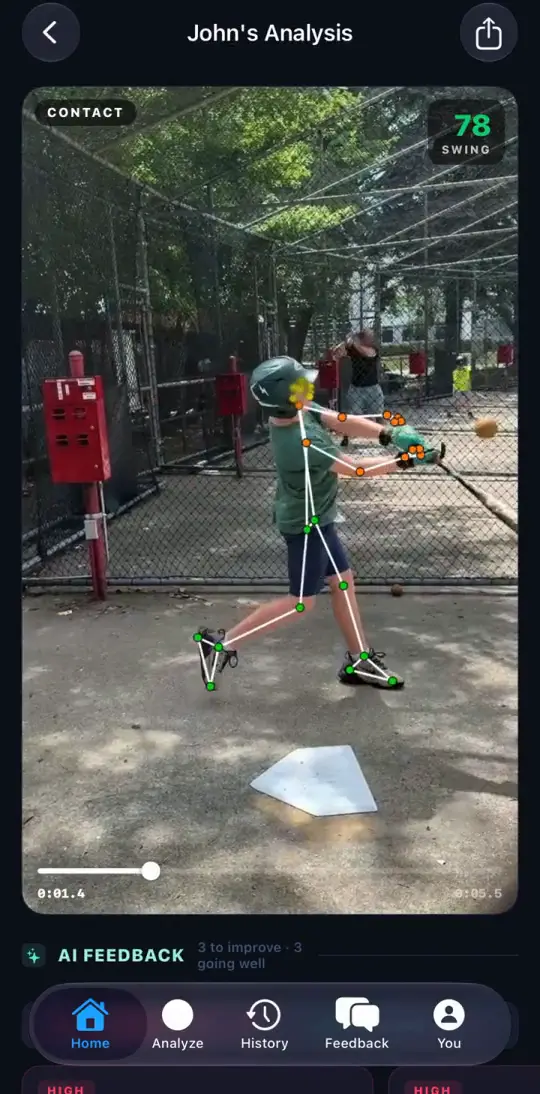
Give hitters one thing to work on between lessons
Set up the roster once
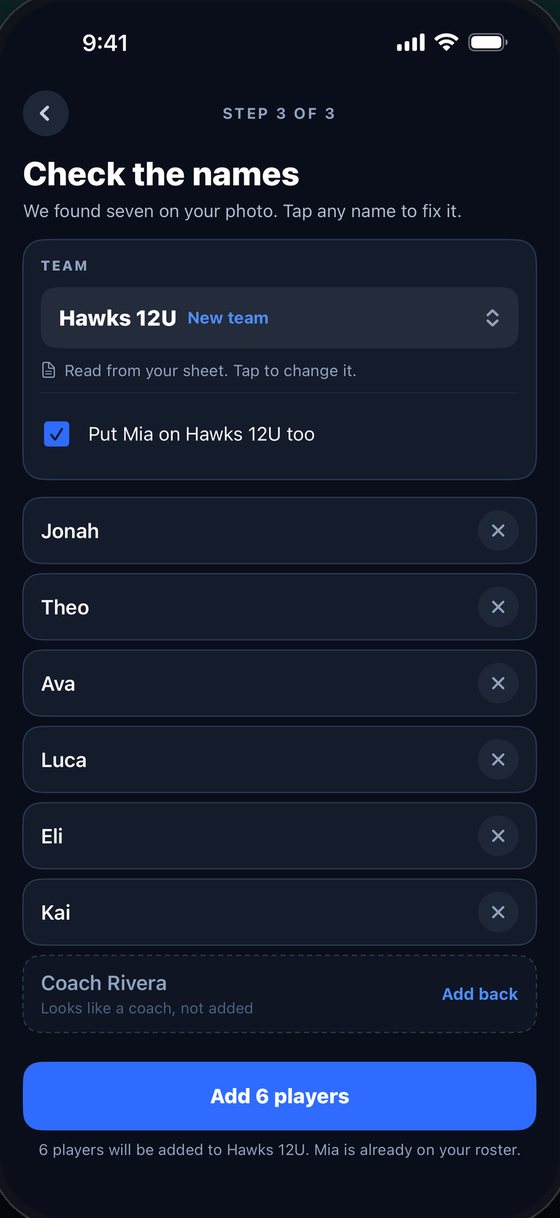
Photograph a roster sheet or use a screenshot of your team list. Check the names Angular reads, then add the players to the right team.
Film each hitter from the side
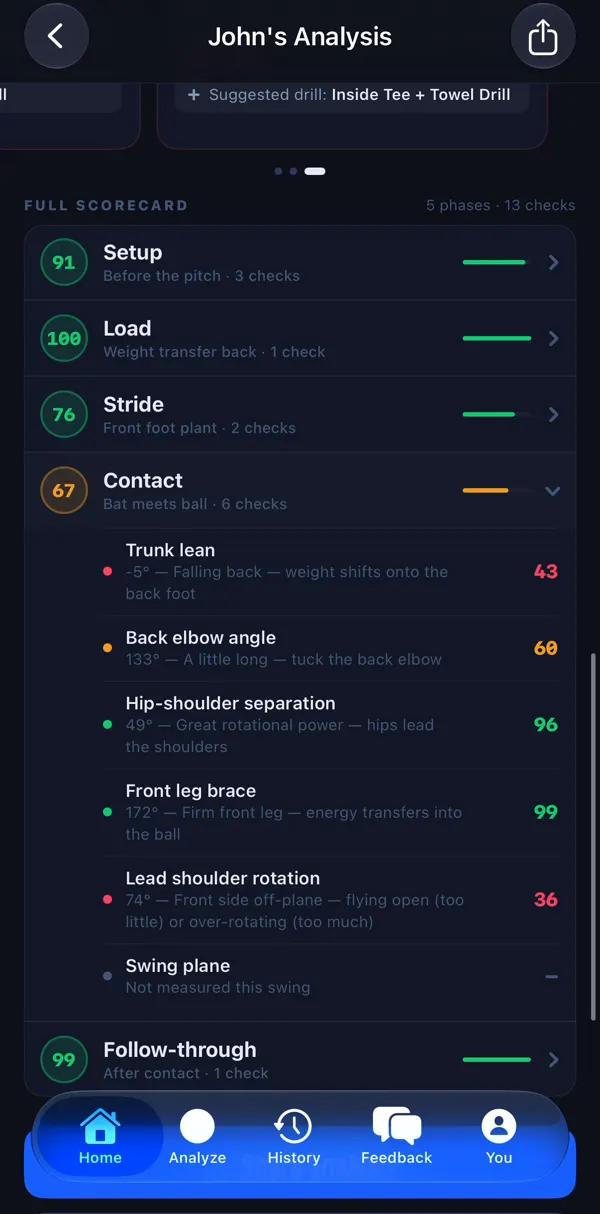
Choose the hitter before you record. See how to set up the phone. Angular scores the swing on 13 checkpoints so you can pull up that player's video and see what the app flagged.
Send your cue with the swing
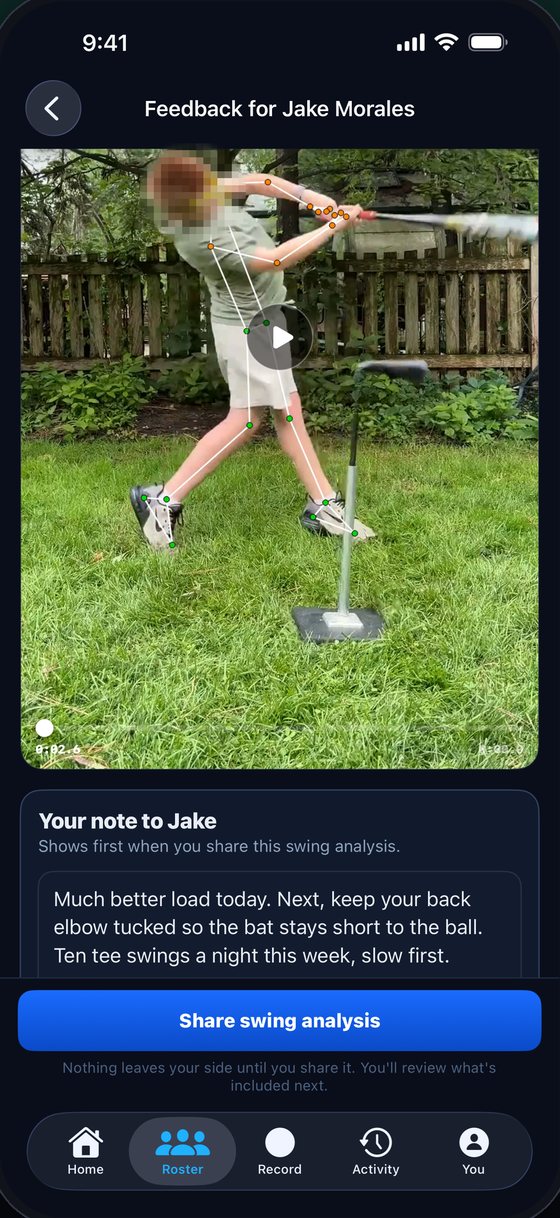
Write one thing to practice under the video. A parent can open the shared report and read your note without downloading the app. At the next lesson, pull up the hitter's recent swings and see what changed.
What should a coach look for in a swing app?
Start with what you need to bring up at the next lesson. A slow-motion video app helps you show a hitter one frame. A bat sensor is useful if you need a bat-speed reading. For team-wide mechanics feedback, look for separate player histories, a place for your own notes and a report families can open in a browser.
Coaches at these programs use Angular to review swings and keep families in the loop.
- Chicago Prime Athletic ClubIndoor training facility · Forest Park, Illinois
- West Michigan TideTravel baseball · Grand Rapids, Michigan
What it costs
Free coach account
Build your roster, add notes and share individual swings. Get one analysis per player per day, up to 20 per week.
Pro · $9.99/month or $49.99/year
Unlimited swing analysis. Film 5–15 swings in one take to set a starting point and send parents a report from the session.
Questions coaches ask
Can parents open the swing report without the app?
Yes. A shared swing opens in a browser without an app or account. With Pro, you can also share a report from a multi-swing session by link or email.
How can an indoor facility track its hitters?
Group hitters by team or lesson group and record under each player's name. Before the next lesson, open the player's history to review recent swings and scores. With Pro, pin a starting session for comparison.
What equipment do I need?
You need an iPhone running iOS 17 or later and space to film from the side. Baseball and softball swings both work. You can score swing mechanics without a separate sensor.